
When DMARCER is connected to HALO PSA, your customers, assets, alerts and licence counts are kept in sync, so your PSA always reflects the latest domain-security status without any manual work.
Step 1: Create API credentials in HALO

- First, create a User account in HALO that will be linked to the API Account. Go to Configuration, Teams & Agents, Agents, and click New Agent.
- When creating the user account, please tick IS AN API-ONLY AGENT. This will ensure that the account does not consume an agent license.
- Give the user account a suitable Role to make contract edits, create and edit assets, and create and edit tickets. Review the Roles section in HALO to confirm the appropriate role to apply for your organisation.
- Next, create the API credentials. Go to Configuration, then Integrations, then HaloPSA API.
- Click View Applications, then + New.
- Create a new application using the Client Credentials grant type, with the 'all' scope.
- Application Name: DMARCER
- Active: Ticked
- Authentication Method: Client ID and Secret (Services)
- Login Type: Agent
- Agent to Login as: select the API Account you created in the earlier step.
- On the Permissions Tab, apply the following permissions:
- edit: tickets
- read: tickets
- read: customers
- read: assets
- edit: assets
- read: contracts
- edit: contracts
- Click Save, making a note of the Client ID and Secret provided.
Step 2: Add the integration in DMARCER
- Open Integrations and click Add.
- Choose PSA, then HALO PSA.
- Enter your HALO URL (for example https://yourcompany.halopsa.com) along with the Client ID and Client Secret you copied earlier. You only need to fill in Tenant if HALO is installed on-premise.
- Give the connection a friendly name and click Connect.
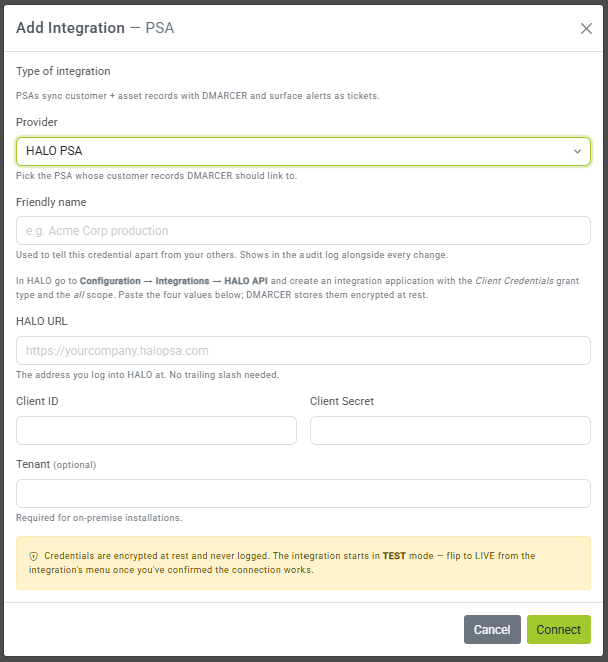
DMARCER keeps your credentials safely encrypted and tests the connection straight away. When you see a green Connected badge, you are all set.
Step 3: Link your customers
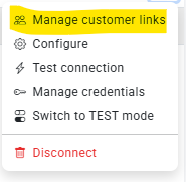
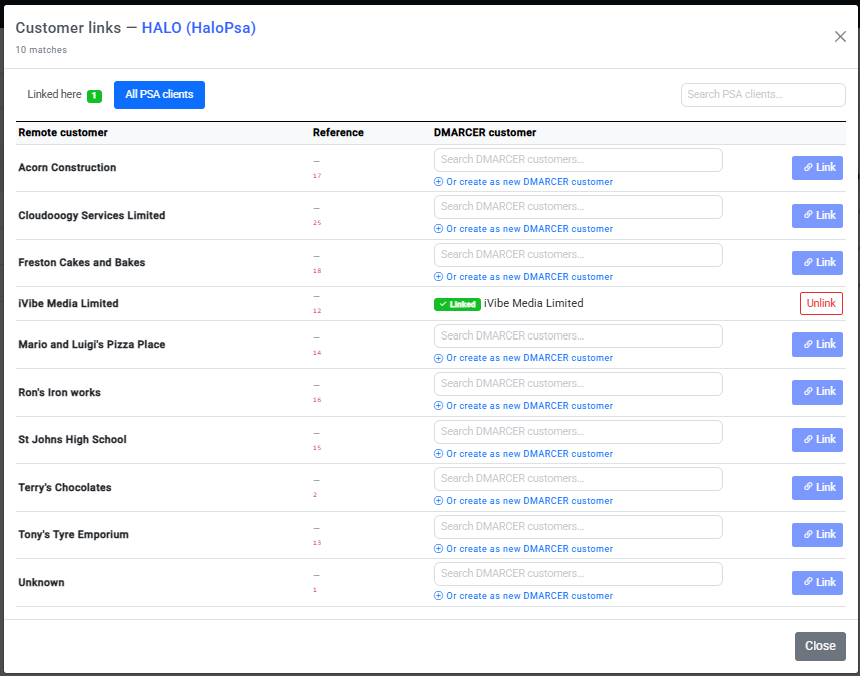
Link each DMARCER customer to its matching HALO client, then choose what you would like to keep in sync: assets, alerts and licence usage.
Was this article useful?
Be the first to vote.